Welcome to your Zarna AI dashboard! This guide will walk you through the main features and help you understand how to manage your deals, interact with your AI assistant, and navigate the platform efficiently.
Deal Pipeline Overview
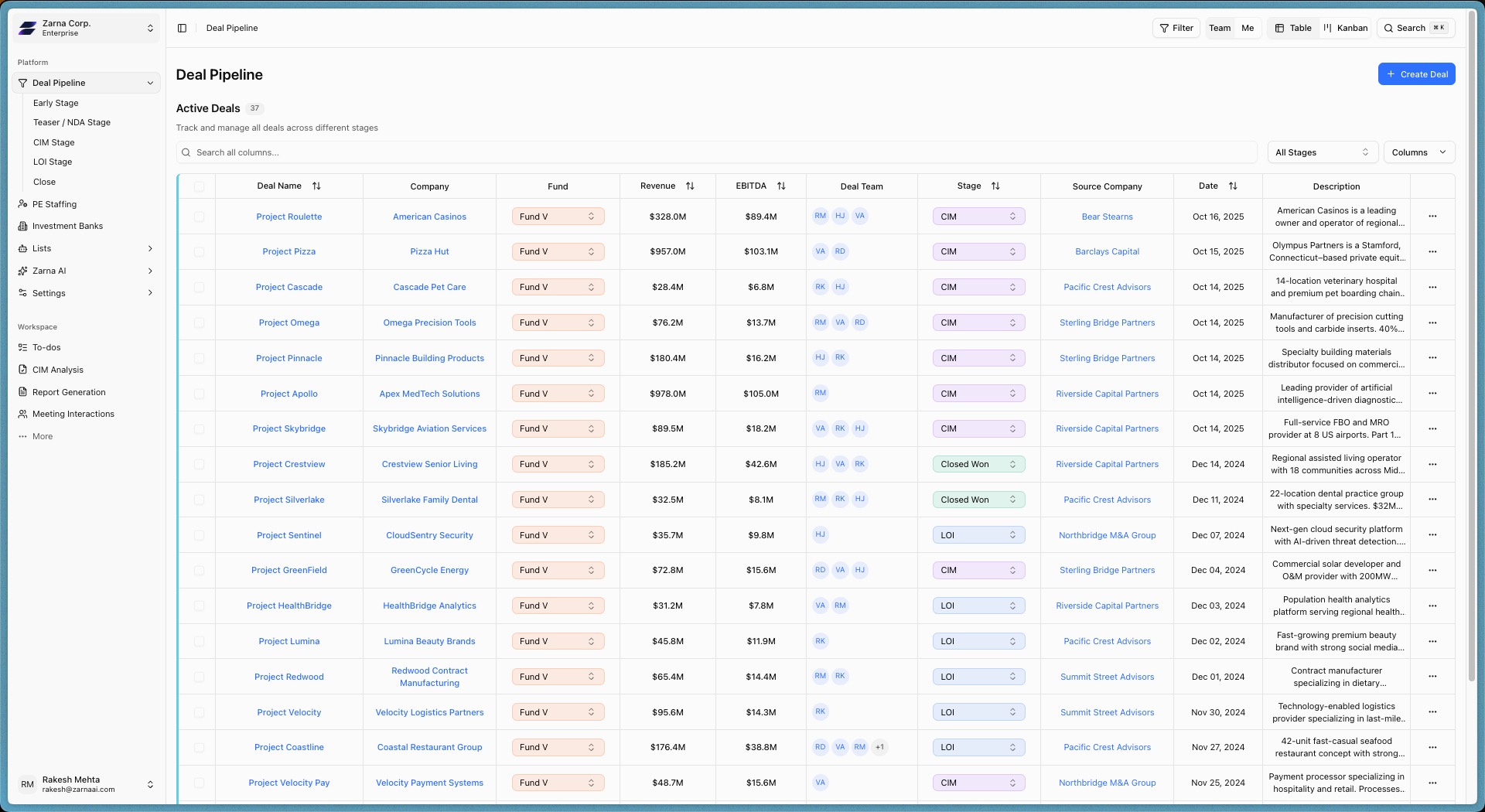
The Deal Pipeline is your central hub for managing all active deals. Here you can track and manage deals across different stages of your investment process.
Key Features
- Active Deals Count: See the total number of active deals (shown as "37" in the example)
- Deal Information: Each row shows deal name, company, fund, revenue, EBITDA, deal team members, stage, source, date, and description
- Stage Filters: Navigate between Early Stage, Teaser/NDA Stage, CIM Stage, LOI Stage, and Close using the left sidebar
- Search & Filter: Use the search bar to find specific deals and apply filters using the Filter button
- Create New Deal: Click the "+ Create Deal" button in the top right to add a new deal to your pipeline
Deal Detail View
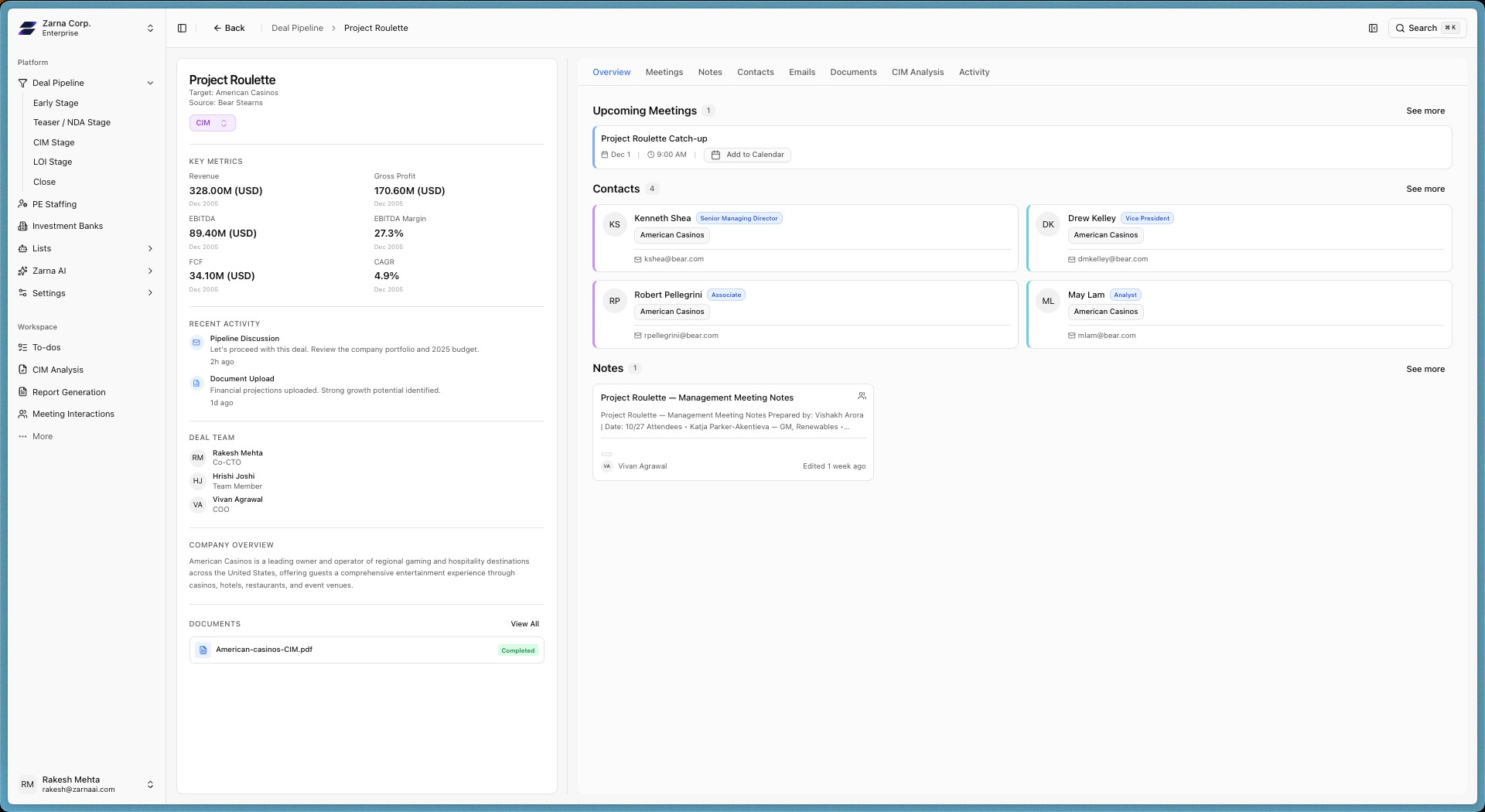
Click on any deal from the pipeline to access its detailed view. This page provides comprehensive information about a specific deal and allows you to manage all related activities.
What You'll Find
Key Metrics
View critical financial data including Revenue, Gross Profit, EBITDA Margin, FCF, and CAGR at a glance.
Upcoming Meetings
See scheduled meetings with options to add to your calendar directly from the dashboard.
Contacts
Access contact information for all stakeholders including their roles, companies, and email addresses.
Notes & Documents
Review meeting notes, uploaded documents (like CIM PDFs), and track recent activity.
Deal Team
See all team members assigned to the deal with their roles (Deal-CTO, Team Member, COO, etc.).
Company Overview
Read a detailed description of the target company and its business operations.
Navigation Tabs: Use the tabs at the top (Overview, Meetings, Notes, Contacts, Emails, Documents, CIM Analysis, Activity) to access different sections of the deal information.
Zarna AI Assistant
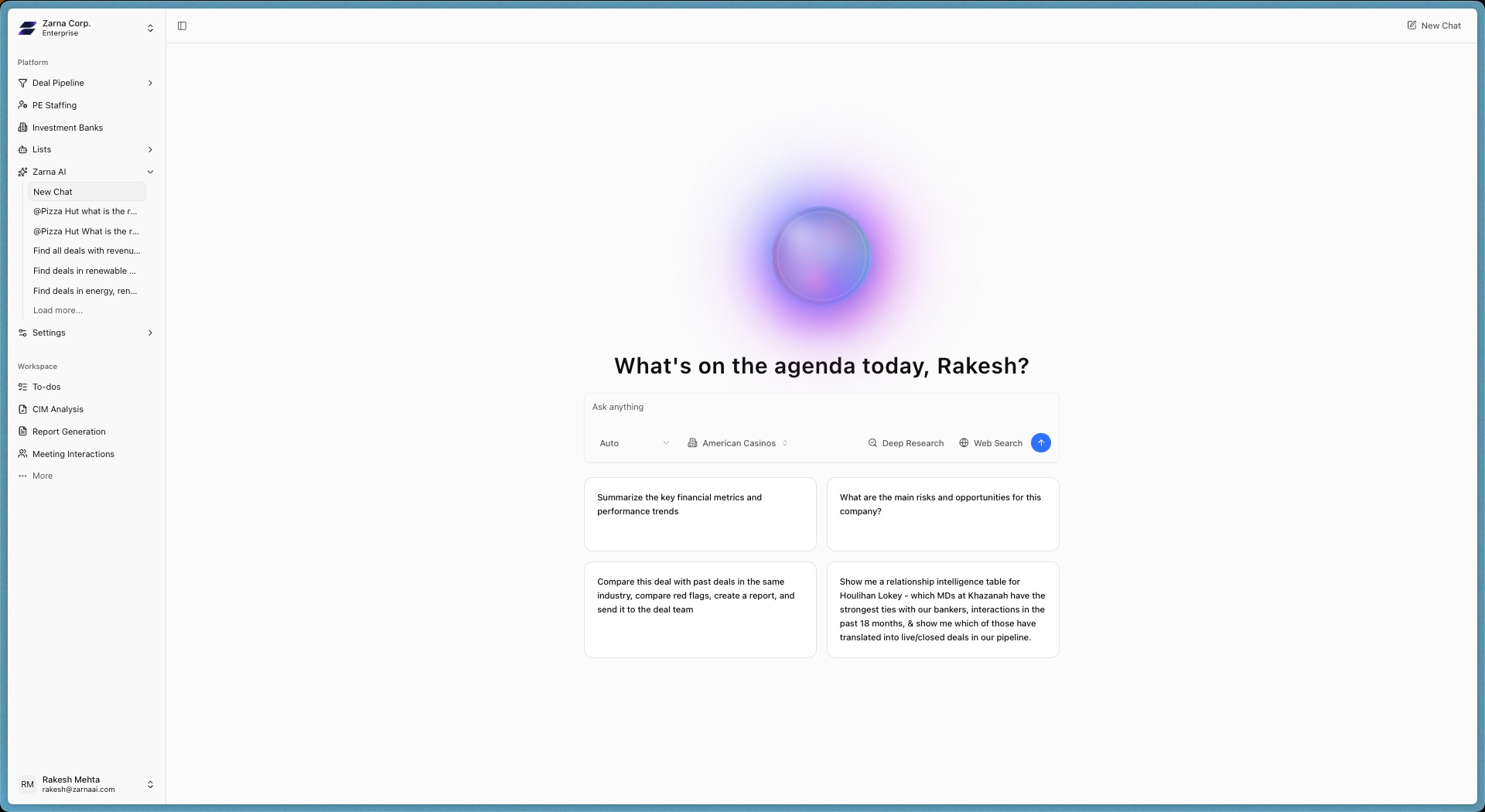
Your personal AI assistant helps you analyze deals, generate reports, and find insights across your entire portfolio. Access it anytime from the left sidebar.
How to Use the AI Assistant
- Ask Anything: Type your question in natural language. The AI understands context about your deals and portfolio.
- Suggested Prompts: Click on any of the pre-written prompts to quickly get insights on financial metrics, risks, comparisons, or relationship intelligence.
- Context Selection: Choose a specific company (like "American Casinos") to focus the AI's analysis on that deal.
- Research Options: Toggle between "Deep Research" and "Web Search" to customize how the AI gathers information.
- Chat History: Access previous conversations from the sidebar to review past insights and analysis.
Navigation Tips
Left Sidebar
- • Deal Pipeline: Main dashboard view
- • PE Staffing: Manage your team
- • Investment Banks: Track bank relationships
- • Lists: Create custom deal lists
- • Zarna AI: Open the AI assistant
- • Settings: Configure your account
Workspace Section
- • To-dos: Manage tasks
- • CIM Analysis: Review investment memos
- • Report Generation: Create custom reports
- • Meeting Interactions: Track meetings
Next Steps
Now that you understand the dashboard, you're ready to start using Zarna AI! Here's what to explore next: